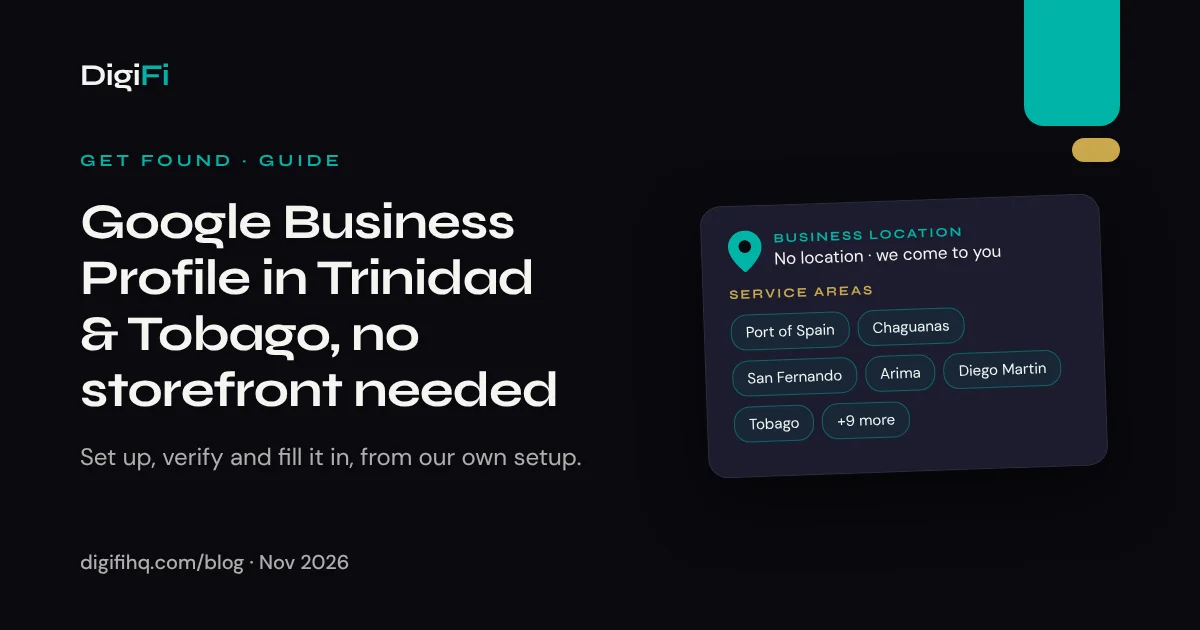
You can list a business on Google Maps in Trinidad and Tobago without a storefront. Create a free Google Business Profile, say that you serve customers at their location, hide your address and list the areas you serve. Google then verifies you, by email, phone, text, video or post, and its review takes up to 5 business days.
That’s how we set up DigiFi Solutions’ own profile in October 2026. We work remotely, and when a local client wants to meet, we go to them or wherever suits them, so there’s no shop to put on the map. This guide walks through exactly what we did, with screenshots from our dashboard, and the rules Google applies to businesses like ours.
If you’d rather we set it up for you, it’s part of every website we build, and our Grow plan, which includes Google Business Profile management, keeps it up to date every month. The rest of this guide shows you how to do it yourself, for free.
Can you be on Google Maps without a storefront?
Yes, as long as you meet customers in person. Google allows a profile for a business that “either has a physical location that customers can visit, or travels to customers where they are” (Google, as of November 2026). Google calls the second kind a service-area business.
That covers most home-based and mobile businesses in Trinidad and Tobago:
- Real estate agents and villa hosts who show properties on site
- Tradespeople: plumbers, electricians, AC technicians, mechanics who come to you
- Caterers, cleaners, photographers, tutors and consultants who meet clients at their place
Two kinds of business don’t qualify. A business that only sells online, with no in-person contact, can’t have a profile. And an address you rent but don’t work from, often called a virtual office, isn’t eligible (Google).
What do you need before you start?
Have these ready and setup takes about 15 minutes:
- A Google account the business will keep. It doesn’t have to be Gmail. Google lets you use “a Gmail address or your preferred email address” (Google). We use an address on our own domain.
- Your business name, exactly as customers see it on your sign, invoices or Instagram.
- Your six-digit postal code. Google’s form asked us for one. If you don’t know yours, TTPost will tell you (details below).
- The areas you serve. Towns or regions, up to 20.
- Your hours, if you keep regular ones.
- A phone number you control, in the +1 868 format, or a website.
- A few real photos of your work, your tools or your team. No stock photos.
How do you set it up, step by step?
- Go to business.google.com/add and sign in with the business’s Google account.
- Enter your business name. If Google suggests an existing listing for your business, claim that one instead of creating a second.
- Choose your primary category. Pick the most specific one that fits, like “Plumber”, not “Contractor”. You can add more later. Ours is “Web Designer”.
- When Google asks if you want to add a location customers can visit, choose No. This is the step that makes you a service-area business.
- Add your service areas. Type each town or region and pick it from the list. You can add up to 20, and they should stay within about 2 hours’ drive of where you’re based (Google). All of Trinidad and Tobago fits inside that.
- Add your phone number and website.
- Verify your business (see verification below).
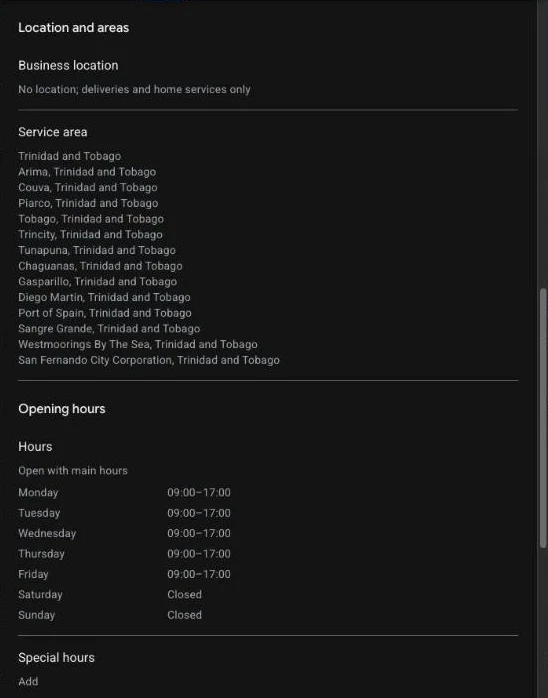
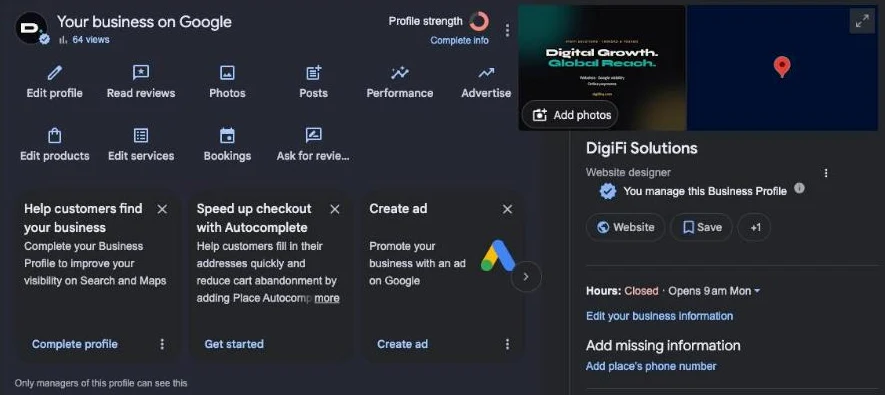
Our profile shows “No location; deliveries and home services only”, with 15 service areas from Chaguanas and Port of Spain to Sangre Grande, San Fernando and Tobago.
What about your address in Trinidad and Tobago?
Google may still ask for your address, to check where you’re based, but customers won’t see it. Google’s own example is a plumber who works from home: “clear the address from your Business Profile” (Google).
A few things that help here:
- Use your real address. PO boxes and mailboxes you rent elsewhere aren’t allowed.
- Get your postal code before you start. Google’s form asked us for one when we set up ours. TTPost gives every address a six-digit code. To find yours, WhatsApp TTPost on 718-8063 or 765-9059, or email postcode.enquiries@ttpost.gov.tt (TTPost).
- Keep landmark directions off the profile. “Opposite the gas station” belongs on your website or in a WhatsApp message, not in your address fields.
How does verification work, and how long does it take?
Google offers one or more of these methods: phone or text, email, a live video call, or a code sent by post (Google). Which ones you see “depend on your business type, public info, region, or business hours”. Google then reviews your profile, which takes up to 5 business days.
Our setup went like this:
| Date (2026) | What happened |
|---|---|
| Sun 25 Oct | Profile submitted as a service-area business, address hidden |
| Sun 25 Oct | Google offered video or email. We chose email and entered the code it sent |
| Wed 28 Oct | Google’s review finished and the profile was verified |
Three days, and the only part that took time was waiting for Google’s review.
It used to be slower. When I ran Blantech Imports, my cellphone and accessories business, Google mailed a postcard with a code to prove the location. That option still exists, but you may now be offered email, phone or video instead.
If you get video: you’ll show it live, from where you work. Google asks for your location (outside signs or a street sign), your business or equipment (tools, products, branded items) and proof that you manage it (keys, a work area, non-sensitive business documents).
Not sure what’s costing you customers online? Get a free digital health check: a short report on how customers find you, contact you and pay you. Back within 48 hours, and yours to keep.
What should you fill in after you’re verified?
Every empty field is a question a customer can’t answer without calling you. These are the ones that matter most:
| Field | What to put | Why it matters |
|---|---|---|
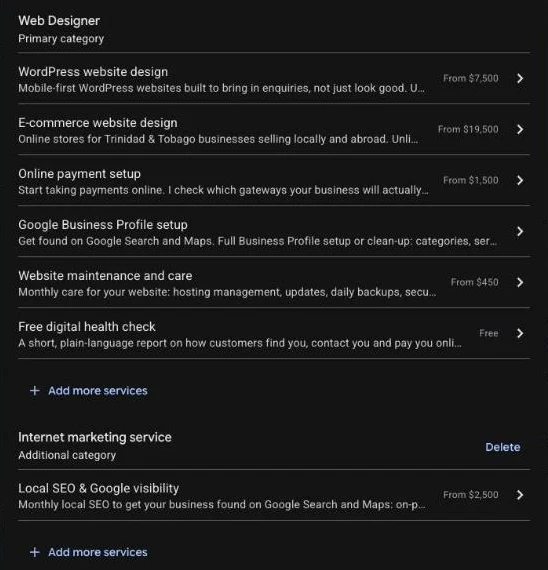
| Additional categories | Other real services, like “Internet marketing service” next to “Web Designer” | You show up for more of what you actually do |
| Description | What you do, for whom and where, in plain words | Customers know straight away if you fit |
| Services | Each service, with a TT$ “from” price if you publish one | Answers “how much?” before the first message |
| Hours | Your real hours; skip them if you work by appointment only | Google says appointment-only businesses shouldn’t list hours |
| Photos | Your work, your tools, your logo | Real photos build trust; stock photos don’t |
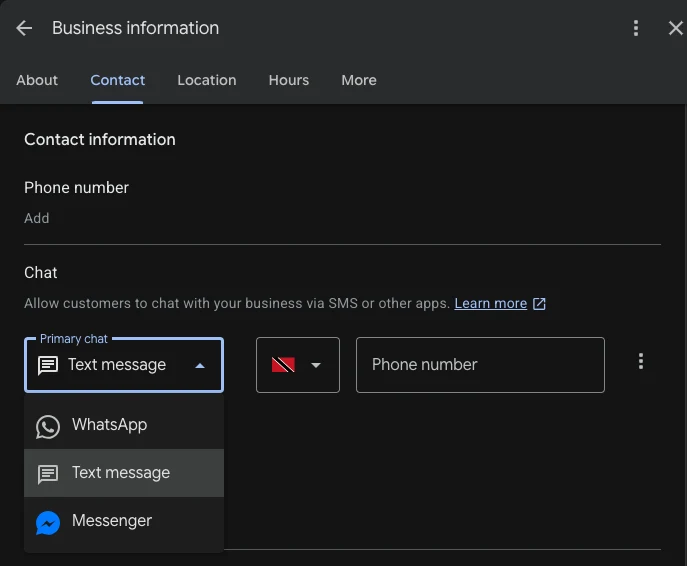
| Chat | WhatsApp, Text message or Messenger | Customers can message you from Google |
| Website | Your site, with tracking on the link | You can see how many visits come from Google |
WhatsApp works in Trinidad and Tobago. Google says chat is only offered “for select regions” (Google). In our dashboard, the Chat options are WhatsApp, Text message and Messenger, with a Trinidad and Tobago number field. You can add it once you’re verified.
How do you get reviews without breaking Google’s rules?
Ask every real customer, every time. Your profile has a review link you can share: send it by WhatsApp or email after the job, and reply to every review you get, good or bad.
Google doesn’t allow (Google):
- Offering a discount, freebie or payment in exchange for a review
- Asking only happy customers, or discouraging negative reviews
- Reviews from staff, family or anyone with a conflict of interest
We follow the same rules on our own profile: real customers only, asked after the job is done.
What gets a profile in Trinidad and Tobago suspended?
Most suspensions come from a handful of mistakes:
- Keywords in the business name. “Ramdass Plumbing Chaguanas Best Prices” breaks the rules if your sign just says “Ramdass Plumbing”. Google can suspend a profile for it (Google).
- A virtual office or PO box as the address.
- A listing for an online-only business.
- Two profiles for the same business. Google allows only one (Google). If one already exists, claim it.
- A phone number you don’t control, or one that forwards to someone else’s line.
What does DigiFi charge to set up a Google Business Profile?
Every Launch website (TT$7,500, or TT$5,500 at the founding rate) includes setting up your Google Business Profile: categories, service areas, services and hours, linked to your website and analytics. If you’d rather hand it over every month, the Grow plan (TT$2,500 a month) includes Google Business Profile management, local SEO and a monthly plain-language report. Need the profile on its own? Book a free call and I’ll quote it. Or follow this guide and do it yourself: the profile is free.
You can see what Launch and Grow include on our pricing page. And if you’re still deciding whether you need a website as well, our guide to what a website costs in Trinidad and Tobago compares 11 providers’ published prices.
Frequently asked questions
Yes. Creating, verifying and updating a Google Business Profile is free. Google charges only if you choose to run ads. You’ll need a Google account, which is also free.
No. You need a Google account, and Google lets you create one with a Gmail address or any email address you already use. Use an account the business will keep, so you don’t lose access if someone leaves.
Yes, if you meet customers in person at their location. Set it up as a service-area business, hide your home address and list the areas you serve. Customers see your service areas, not your address.
Yes. You can add managers to your profile, and each person signs in with their own Google account, so you never share your password. You stay the owner and can remove them at any time.
Your profile can appear once Google verifies it, which took us three days. Showing up when people search for what you do takes longer and isn’t guaranteed. A complete profile, real photos and reviews all help.
Sources
- DigiFi Solutions’ own Business Profile, set up 25 to 28 October 2026; screenshots taken 21 November 2026
All checked between 20 and 22 November 2026. Google changes its rules and screens from time to time: check Google’s help pages if something looks different.